

検索エンジンにあなたの公開物を理解してもらう
PostnHost はサイト、組織、記事、著者に関する構造化情報を作成します。これらの情報は見た目のデザイン要素ではありません。コンテンツを誰が公開しているか、各ページが何を意味するかを検索エンジンにより明確に伝えます。
正確な情報をいくつか提供するだけで十分です。該当しない任意項目は空欄のままにしてください。
公開サイトのアドレスから始める
Open Settings → Site and confirm that the Site URL matches the address visitors use in production. PostnHost uses this address when it creates public links, structured information, and sitemap entries.
WebSite の詳細を追加する
- Open Settings and select Schema.
- 編集する言語を選択します。
- Under WebSite, enter the publication name.
- 公開物の短い説明を追加します。
読者が認識する名前を使用してください。説明はキーワードを羅列するのではなく、公開物を分かりやすく説明するものにしてください。
組織を説明する
Under Organization, choose the option that most closely matches the publisher and enter its public name and description. Add an alternate name, contact details, address, or social profile links only when that information is real and useful.
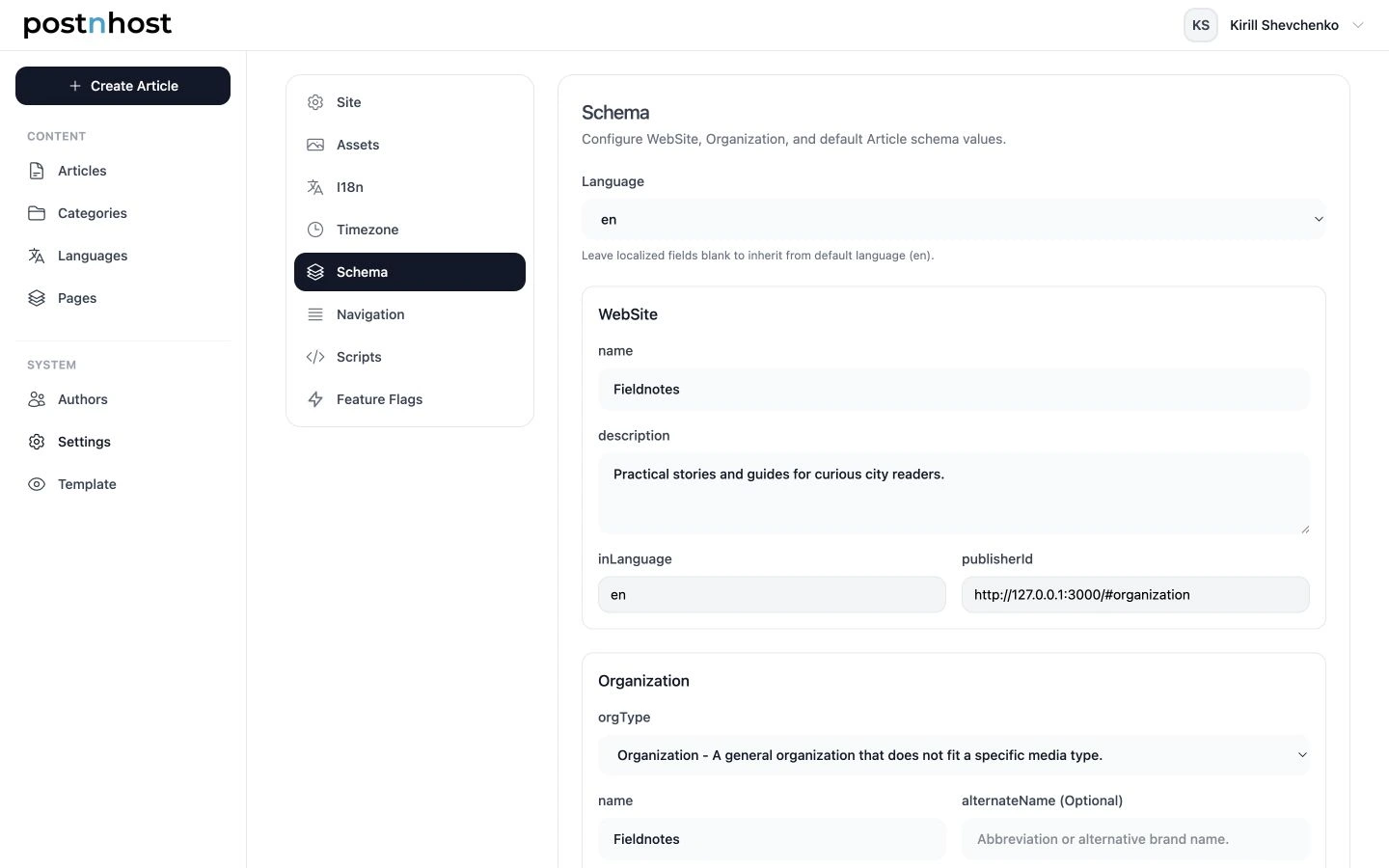
まず WebSite の名前と説明を設定し、該当する場合にのみ Organization の詳細を追加してください。
組織のロゴは Settings → Assets → Site Logo から取得されます。Schema に表示されているロゴが望ましいものと異なる場合は、そちらで更新してください。
デフォルトの記事タイプを選ぶ
In Article Defaults, keep BlogPosting for most blogs and editorial publications. Choose a more specific option only when it consistently describes your content. Individual articles can use a different type when needed.
著者の Schema を追加する
公開されたすべての記事には、割り当てられた著者に関する情報が含まれます。PostnHost は著者の通常のプロフィールから始めるため、追加項目を入力する前に名前、役職、略歴、著者画像、ソーシャルリンクを完成させてください。
- Open Authors and select the author you want to update.
- Choose Edit Schema.
- Review Derived Defaults. These show the name, job title, description, public URL, and identifier PostnHost can use automatically.
- Select a language under Schema Overrides when the author’s name, role, or biography should be different in that language.
- Add optional expertise, awards, or education details only when they are accurate and useful.
- Select Save Author Schema.
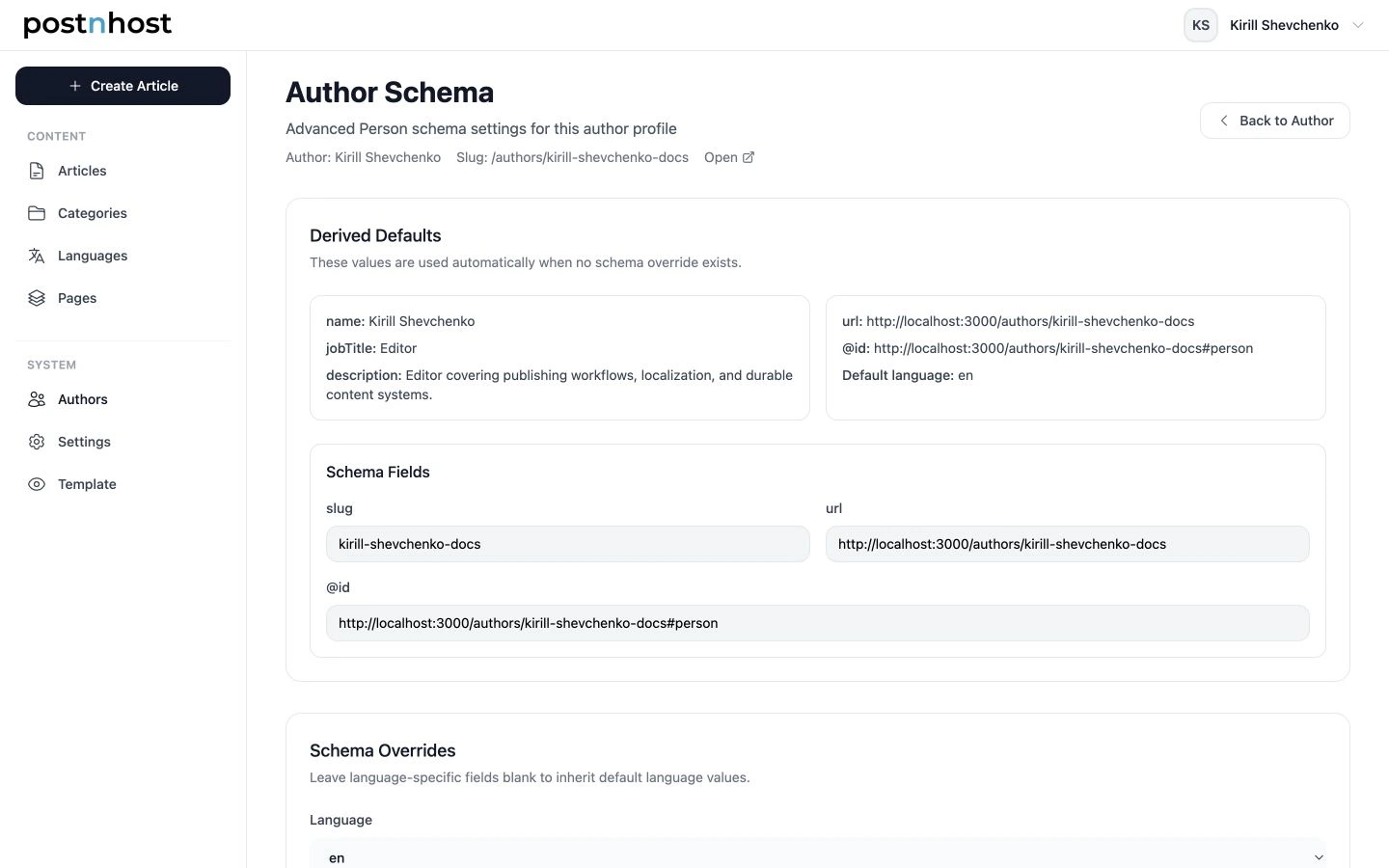
Derived Defaults は、PostnHost が追加の上書きなしで使用できる著者情報を示します。
著者プロフィールのソーシャルリンクは自動的に含まれます。追加の信頼できるプロフィールに対してのみ sameAs を使用し、通常の著者画像が正しい場合は任意の image フィールドを空のままにしてください。
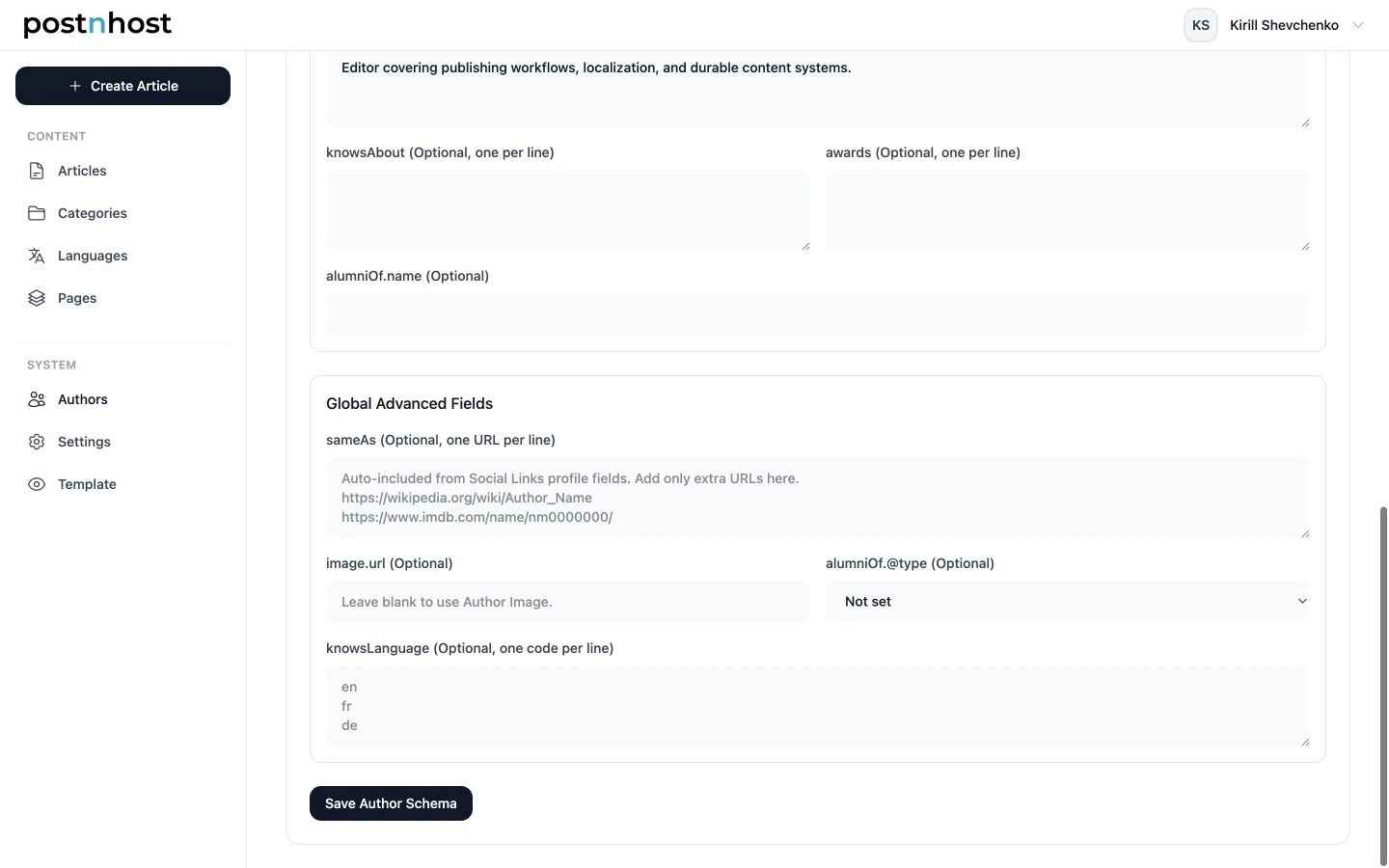
Global Advanced Fields は、著者プロフィールに既に存在しない有用な詳細にのみ使用してください。
If you want the author’s public profile URL included, open Settings → Feature Flags and enable Author pages. This also makes public author pages and byline links available.
サイトマップを保存して確認する
Select Save Schema, then open /sitemap.xml on your public site. The sitemap lists published public pages and their language versions so search engines can discover them.
コンテンツを公開または翻訳した後は、サイトマップを再確認して新しい公開 URL が表示されていることを確認してください。サイトが別のパス配下にマウントされている場合は、デプロイを管理している人に検索エンジンが正しいサイトマップアドレスに案内されるよう確認してもらってください。
最後の簡単な確認
- サイト URL が実際の公開ドメインを使用している。
- WebSite と Organization の名前が公開物と一致している。
- 説明が短く、正確で読みやすい。
- サイトロゴが最新である。
- デフォルトの記事タイプがコンテンツの大部分に合っている。
- 各著者に完全なプロフィールと有用なスキーマ追加がある。
- サイトマップが開き、公開されたページを含んでいる。
これはしっかりした出発点として十分です。読者が確認できる実際の内容を説明する場合にのみ、詳細を追加してください。